> For the complete documentation index, see [llms.txt](https://docs.collection.xyz/guides/llms.txt). Markdown versions of documentation pages are available by appending `.md` to page URLs; this page is available as [Markdown](https://docs.collection.xyz/guides/user-guides/buy-and-sell-nfts-instantly.md).
# Buy & Sell NFTs instantly
Buy and Sell NFTs
If you are looking to Buy or Sell NFTs from Collection.xyz, here’s how you can do it -
## Buy NFTs
1\. After entering the Collection dApp, click on a collection you want to buy the NFT from
2\. Browse through the NFTs available for sale
3\. Hover over the NFT you would like to purchase, and click "Buy Now"
* If you want to buy multiple NFTs, click on the "+" button
4\. Confirm the transaction in your wallet to finalize the transaction
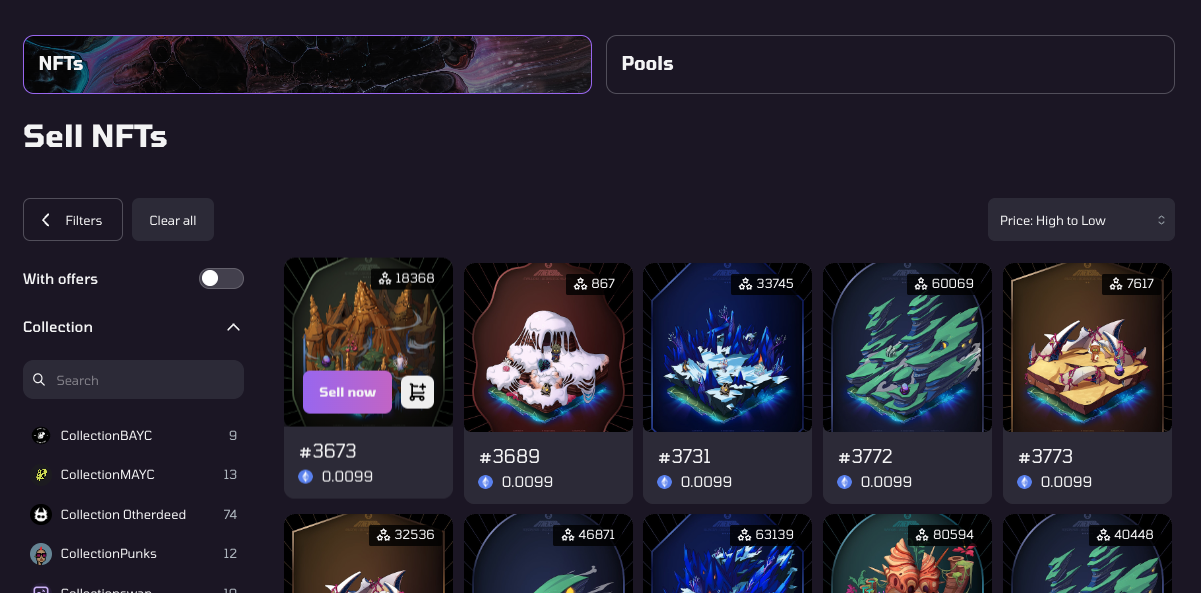
## Sell NFTs
1\. After entering the Collection dApp, click on "Portfolio"
2\. Hover over the specific NFT you would like to sell and click it should direct you to its individual NFT page
3\. Click “Sell Now” button to initiate the sale
4\. Confirm the transaction in your wallet to finalize the transaction